What Is ISO 37001? Anti-Bribery Management System (ABMS) Standard
January 2, 2026
What is Evidence Management? Functions and Its Role in Compliance
January 5, 2026What is Incident Management? A Structured Way to Handle Application Incidents
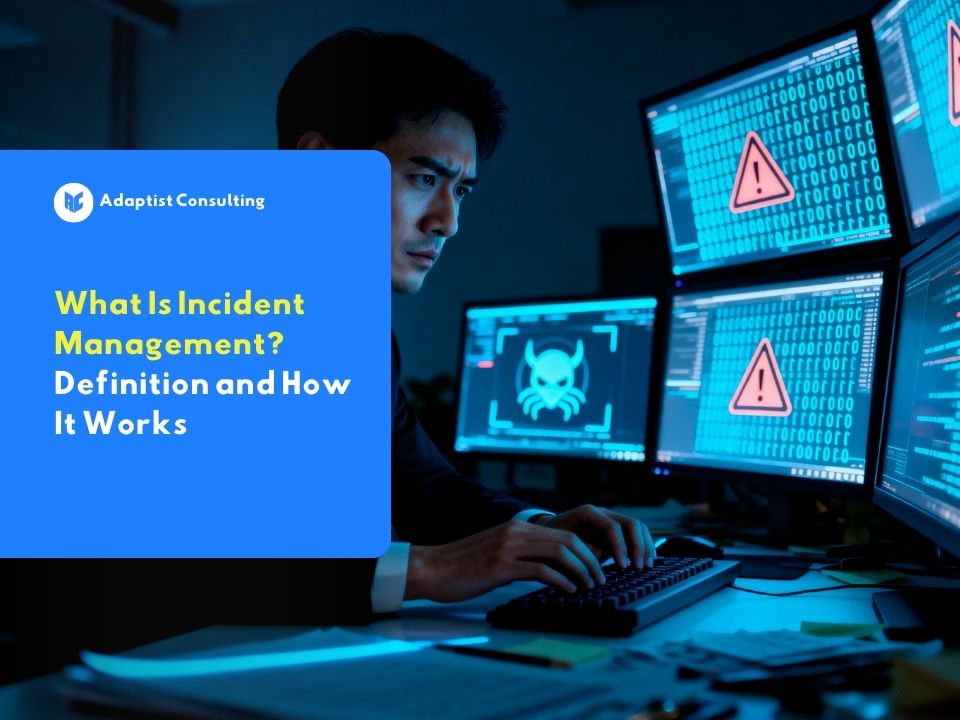
In a business world that depends on technology, the risk of disruption is never far away. When an application suddenly becomes inaccessible or a payment system fails, company operations can stop instantly. This is where incident management becomes crucial.
This is not just about fixing technical damage. Incident management is a systematic approach to detecting, analyzing, and resolving IT service disruptions so they return to normal as quickly as possible. The primary focus is speed of recovery to protect productivity and customer satisfaction from broader negative impacts.
What is Incident Management? (Definition & Basic Concepts)
Fundamentally, the definition of incident management is a series of processes and policies used by IT teams to manage the lifecycle of all service disruptions. In this context, an incident is defined as an unplanned interruption or a reduction in the quality of an IT service.
The main goal of incident management is to return service operations to a normal state according to the Service Level Agreement (SLA). “Normal” means the service is running again according to the specifications expected by the user. Without this process, problem solving is often done reactively, remains unrecorded, and stays inconsistent, which ultimately prolongs the duration of the disruption.
Why is Incident Management Important for Business?
In modern business operations, every minute of downtime or service halt has a real financial value. Without structured management, businesses face a high risk of violating the SLA (Service Level Agreement) agreed upon with clients. This not only triggers penalty fines but also damages the company’s reputation in the long term.
Furthermore, good incident management helps companies comply with data protection regulations such as the PDP Law. A standard incident reporting process allows teams to detect whether a technical disruption is related to a data breach or a cyberattack, so legal mitigation steps can be taken immediately.
1. Minimizing Operational Disruptions
With clear procedures, the IT team does not have to guess what steps to take when issues occur. The existence of standard guidelines ensures every disruption is handled with an efficient flow so core business activities can continue.
2. Maintaining Customer Trust
Customers tend to be more tolerant of disruptions if the company shows transparency and speed in responding. Measured communication during the resolution process proves that the company is professional and responsible.
3. Reducing Escalation Risks
Small problems that are ignored can grow into major crises if not handled correctly from the start. Incident management ensures every ticket or report is categorized appropriately so sensitive issues immediately receive attention from expert teams.
4. Assisting Evaluation and Continuous Improvement
Every recorded incident becomes valuable data for post-event analysis. By reviewing incident history, management can identify patterns of weakness in the system and make permanent improvements to prevent the same problems from recurring in the future.
Stages in Incident Management Based on the ITIL Framework
To achieve world-class operational standards, many companies adopt the ITIL (IT Infrastructure Library) framework. This is a framework that provides best practice guidance in managing information technology services. Here are the systematic stages in handling incidents according to global standards:
1. Incident Identification
This stage is the main gateway in the incident management cycle. Disruptions can be detected through two main channels. The first is active reports from users coming through the Customer Service or Helpdesk team as the front line of communication. The second is proactive detection through automated Monitoring Tools. The existence of a responsive Customer Service or Helpdesk team is crucial so that every user complaint is immediately recorded, allowing the IT team to move quickly to perform mitigation before the disruption has a wider impact.
2. Incident Logging
Every disruption, no matter how small, must be formally recorded into the ticket management system. Without neat recording, the company will lose track of the problems occurring. Data that must be included in the log at a minimum includes the identity of the reporter, a timestamp of the event, a detailed description of the obstacles experienced, and the identification of the assets or application modules affected. This documentation serves as audit evidence and a basis for future analysis.
3. Incident Categorization
After being recorded, incidents must be grouped into specific categories, for example, hardware problems, software, network access, or data security. Accurate categorization greatly assists in the workflow automation process. With the right category, the system can immediately forward the ticket to the department or technical team with relevant expertise, ensuring no time is wasted because a ticket went to the wrong target.
4. Incident Prioritization
Not all problems carry the same weight. At this stage, the team determines the handling order based on two main variables: impact and urgency. Impact measures how many users or business processes are disrupted, while urgency measures how quickly the business needs a solution before financial losses swell. The results of this assessment will produce priority levels such as P1, P2, or P3 that determine the maximum duration of resolution according to the SLA.
5. Investigation and Diagnosis
At this stage, technicians begin a deep analysis to identify the cause of the disruption. If the cause is complex and requires a long time for a permanent fix, the IT team is obligated to find a workaround or temporary solution. The goal is for the service to remain usable by customers even while system repairs behind the scenes are still ongoing. Active communication between the technical team and users is crucial at this stage to keep expectations managed.
6. Resolution and Recovery
Once the root cause is found or a temporary solution is ready, repair steps are immediately implemented. However, the process does not stop at the repair itself. The service must go through a re-testing phase to ensure that the fix does not create new problems elsewhere. Recovery is considered complete if all functions have returned to normal conditions according to the performance standards set in the Service Level Agreement.
7. Incident Closure
The last stage is officially closing the ticket. However, the IT team must not close the ticket unilaterally. There must be confirmation from the user or reporter that the problem has indeed been resolved. Once confirmed, the team documents the resolution steps taken into the company’s Knowledge Base. This documentation is highly valuable as a reference if similar problems arise in the future, allowing the next resolution to be done much faster.
READ ALSO: What is Ticket Escalation Management? Function, Workflow, and Its Role in Customer Service
Priority Classification: What are P1, P2, and P3 Incidents?
In managing the report queue, IT teams do not use a “first come, first served” principle. They use priority classification to determine the urgency of a problem. The Incident Management Team (IMT) uses a priority scale to distinguish which disruptions must receive emergency handling immediately.
- P1 (Priority 1 – Critical): This is a total outage condition or critical outage. The main service stops functioning for all users or impacts vital business functions. An example is a central server failure that causes an e-commerce application to be unable to perform checkout at all.
- P2 (Priority 2 – High): A disruption that impacts a large part of the functions or a large group of users. The system is still running, but there are important features that cannot be used, thereby significantly disrupting productivity.
- P3 (Priority 3 – Moderate/Minor): A small disruption that impacts a few users or non-urgent features. This problem usually has an alternative solution or is just a visual bug that does not stop business processes.
Understanding how to determine ticket priority is vital so that limited IT team resources are not exhausted handling minor issues (P3) when there is a critical problem (P1) threatening company revenue.
Examples of Incident Management in Real Business Scenarios
To provide a clearer picture, let’s look at how incident management works in the field through two scenario examples:
- E-commerce Server Outage Scenario: When a payment system suddenly fails to process transactions, the monitoring system will trigger a P1 alert. The IMT immediately performs logging and diverts traffic to a backup server. While the service runs on the backup server, the investigation team looks for the root cause in the payment database. Once fixed, the service is returned to the main server and a report is sent to stakeholders as part of SLA accountability.
- Payment System Bug Tracking Scenario: A user reports that their name appears incorrectly on an invoice even though it is correct in the profile. Since this does not stop the transaction process, this incident is categorized as P3. The report enters the bug tracking system, is analyzed by the development team in a regular work cycle, fixed in the next application update, and then the ticket is closed after the fix is released.
The Role of Online Ticketing Systems in Accelerating Resolution
Relying on manual email or chat to manage incidents is a recipe for chaos. This is where the implementation of a capable ticketing system becomes important. With an online ticketing system, every report has a unique reference number, accurate time tracking, and an automated workflow.
The implementation of omnichannel ticket management allows teams to monitor all incidents from various channels, ranging from WhatsApp and Email to Web, in one unified dashboard. This ensures no customer report is “slipped” among thousands of chat messages.
By using solutions like Adaptist Prose, companies can automate workflows such as automatic ticket assignment to available agents. The use of the right tools can increase agent productivity by up to 40%. Additionally, managers can monitor SLA achievement in real time, ensuring that every P1 incident is resolved on time before providing a larger financial impact.
FAQ (Frequently Asked Questions)
- What is the difference between Incident Management and Problem Management? Incident Management focuses on the speed of returning service to a normal state, while Problem Management focuses on finding the root cause of the problem to prevent the same incident from recurring.
- Who is responsible for handling incidents in a company? It is usually handled by the Service Desk team as the first point of contact, which will then coordinate with technical teams (Level 2 or Level 3) depending on the complexity of the problem.
- Does a small company need incident management? Of course. Although the scale is different, the basic structure in recording and prioritizing disruptions is still needed so that operations do not rely on individual memory.
- How do you determine if an incident falls into the P1 or P2 category? This determination is based on a matrix between urgency (how quickly the business needs a solution) and impact (how large the number of users or business processes halted is). If the core function of the company stops completely for all users, it automatically falls into the P1 category.
- What should be done if a permanent solution has not been found when the SLA is almost up? The team can implement a workaround or temporary solution to restore the service as soon as possible. In Incident Management, the top priority is to reactivate the service for users, while a deep investigation for a permanent solution will continue in the Problem Management process.