The two things that most often cause organizations to suffer “access breaches” are not sophisticated hacks, but daily access habits that have become ingrained. Accounts are created manually, permissions are added because they are “needed fast,” and then everyone forgets to revoke them. Months later, no one really knows who still has access to what, or why.
The problem becomes more acute as onboarding frequency increases, application counts rise, vendors request access more often, and auditors begin demanding proof: who approved it, when was access granted, what specific access was given, and has it been reviewed? At this point, IAM is no longer just a “security” concept, but the way an organization operates to ensure access is orderly, measurable, and accountable.
Definition of IAM
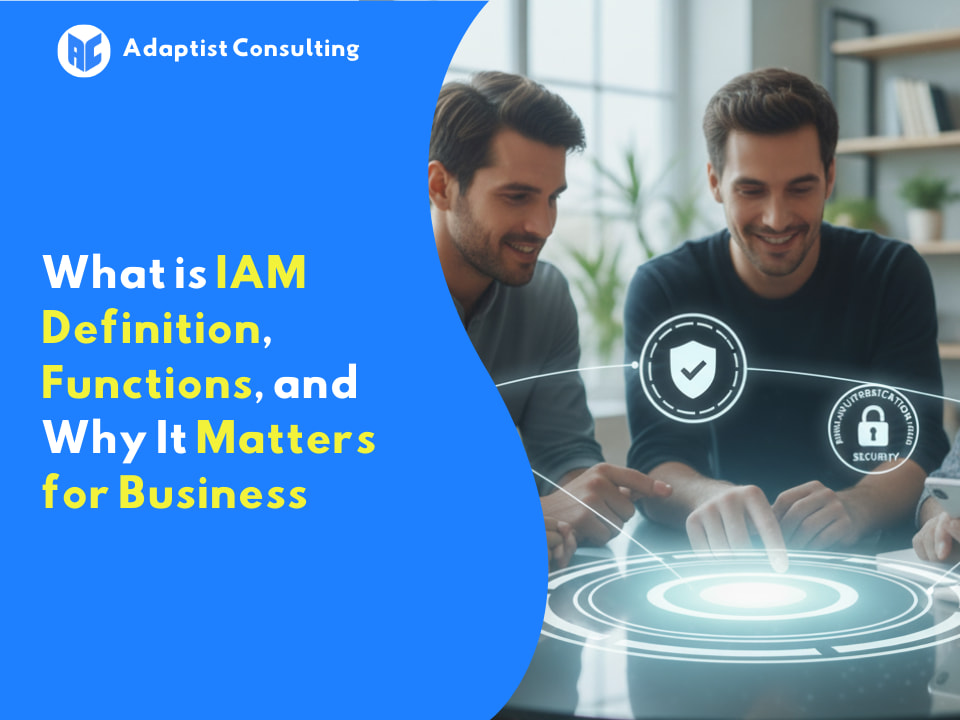
Identity and Access Management (IAM) practically means: managing who (identity) can access what (access), when, from where, and with what proof.
“What proof” here covers identity verification methods upon entry (e.g., MFA) and administrative proof (who approved it, what rules were applied).
IAM is not just about “logging in.” IAM is end-to-end access control, including:
- Account Lifecycle: Accounts are created when people join (joiner), modified when roles change (mover), and revoked when they leave (leaver).
- Access Policy: Who is allowed to access specific data, with what level of privilege, and when approval is required.
- Audit Trail: Recording access and decisions so that in the event of an incident or audit, the organization does not rely on “memory.”
Simply put: IAM is how an organization operationalizes access control principles. Without IAM, access is usually managed through a combination of spreadsheets, chat approvals, and a “fix it later” mentality.
In IAM, two concepts constantly appear and are often confused: authentication and authorization. Both are equally important, but their functions differ. If you are strong in only one, access control remains unbalanced, and risks remain high.
Authentication vs. Authorization
Much confusion arises because these two terms are often treated as the same thing.
Authentication = Verifying “who you are.”
Example: Password, MFA (OTP code, push notification), passwordless, biometrics.
Authorization = Determining “what you are allowed to do.”
Example: Allowed to view payroll data but not edit it; allowed to access your own team’s folder but not other teams’.
By analogy: Authentication is checking ID at the door; Authorization is the rule about which rooms you are allowed to enter. Organizations strong in authentication but weak in authorization remain at risk because a “legitimate” person could have excessive access.
IAM vs. SSO vs. MFA
This is also a common misconception, so let’s position them clearly:
- MFA (Multi-Factor Authentication) is an authentication method. Its goal is to reduce the risk of account takeover simply due to leaked passwords.
- SSO (Single Sign-On) is a mechanism that simplifies users logging into multiple applications with a single login session. It aids UX and can strengthen control if combined with MFA, but SSO is not the access policy itself.
- IAM (Identity and Access Management) is the large umbrella covering the identity lifecycle, access policies (authorization), provisioning/deprovisioning, approvals, reviews, and audit trails. SSO and MFA are typically parts of the IAM ecosystem, not replacements for it.
If someone says, “We already have SSO, so we have IAM,” that only covers one part, and often just the surface-level part.
IAM Case Study: The “Fast” Onboarding That is Actually Chaotic
Imagine a mid-sized company recruiting a new Sales Ops. On day one, they need access to:
- Company email and calendar
- CRM
- Forecast spreadsheets
- Internal ticketing tool
- Proposal and pricing folders
Without IAM, the process usually looks like this: HR chats IT, IT creates an email account, then the Sales Lead asks for CRM access via chat, finance asks for “temporary” pricing folder access, and finally, several accesses are granted due to “emergency” without neat records. Two months later, Sales Ops moves to another role, but their old access isn’t revoked because no system maps role changes to access changes.
IAM makes this process more disciplined:
- HRIS or identity source becomes the trigger for the joiner (account created with clear attributes).
- Role mapping determines the basic access package for “Sales Ops.”
- Sensitive access (pricing, finance) requires approval from the application/data owner.
- Everything is recorded: who approved, when it became active, when to review.
Honest trade-off: IAM can feel like “adding steps” at the beginning. But those steps replace the chaos that is usually only discovered during an audit or when an incident occurs.
Key Components of IAM
In this section, we discuss the components that generally form an end-to-end IAM program. For each component, you will see: a brief definition, function, risk if absent, and implementation example.
1) Identity Lifecycle (Joiner-Mover-Leaver)
Identity lifecycle is the management of the lifespan of identities and user accounts from entry, role change, to exit.
Function: Managing account lifecycles: created upon entry, changed upon role transfer, revoked upon exit. This ensures identities in the system always reflect the actual person’s status.
Risk if absent:
Duplicate accounts, “lingering” access, and former employee accounts remaining active. This isn’t a theoretical risk; it’s one of the most common causes of incidents.
Brief implementation example:
HRIS becomes the primary source of employee status. When status changes to “resigned,” the system automatically deactivates the account, revokes session tokens, and triggers a data ownership transfer workflow (e.g., files and email).
2) Authentication (MFA, Passwordless)
Authentication is the process of proving that the user is indeed the identity they claim to be during login.
Function: Ensuring the person entering is a legitimate identity. MFA adds a proof factor beyond the password. Passwordless reduces reliance on passwords that are easily leaked or reused.
Risk if absent:
Account takeover is easier, especially when passwords leak from other services, are reused, and then used for internal access.
Brief implementation example:
High-priority applications (email, VPN, admin console) require mandatory MFA. For sensitive user-facing apps, use adaptive or risk-based auth (e.g., ask for an additional factor if logging in from a new location/device).
3) Authorization & Access Control (RBAC/ABAC, Least Privilege)
Authorization is the rule determining what actions a user is allowed to perform after successfully logging in.
Function: Determining what each identity can do.
- RBAC (Role-Based Access Control): Role-based access, e.g., “Finance,” “HR,” “Sales Ops.”
- ABAC (Attribute-Based Access Control): Attribute-based access, e.g., location, unit, seniority, or project status.
- Least Privilege: Everyone has only the minimum access needed to work.
Risk if absent:
Permission creep (access accumulating over time), overly broad access, and difficulty ensuring who can access sensitive data.
Brief implementation example:
“Sales Ops” has read access to the revenue dashboard, but edit access is only for “Sales Manager.” Access to the pricing folder is only for those with the “Commercial Approved” attribute and active on the related project.
4) SSO & Federation (High-level SAML/OIDC)
SSO and federation are mechanisms to centralize login and trust identities between systems in a standardized way.
Function: Reducing login friction and centralizing session control. Federation allows an identity from one party to be trusted by another application securely.
High-level: SAML and OIDC are common protocols for SSO and identity federation.
Risk if absent:
Many passwords, many local accounts per application, weak policy consistency, and exploding helpdesk password resets.
Brief implementation example:
Use one identity provider as the hub. Internal apps and SaaS are integrated gradually. Logins are centralized, MFA policies are applied consistently, and offboarding access becomes stricter.
5) Provisioning & Deprovisioning (Access Automation, Orphan Accounts)
Provisioning and deprovisioning are processes of granting and revoking access in a controlled manner, ideally automatically based on events (joiner, mover, leaver).
Function:
- Provisioning: Granting access when needed (create account, assign role).
- Deprovisioning: Revoking access when not needed (resignation, team transfer, contract end).
The main goal is reducing manual work and avoiding “orphan accounts.”
Risk if absent:
Old access remains, vendor accounts stay active after projects end, and identities exist without clear “owners.”
Brief implementation example:
Upon joining, the system automatically creates an email account and standard application access based on role. Upon leaving, the system automatically revokes SSO access, deactivates connected application accounts, and logs everything as evidence.
6) Access Review & Approval Workflow
Access review and approval workflow are mechanisms for approval and re-examination of access to keep it relevant and accountable.
Function: Keeping access relevant through approval upon request and periodic reviews (e.g., quarterly). Ideally, the application or data owner approves, not just IT.
Risk if absent:
Access bloat, many unrecorded exceptions, and audits finding users with sensitive access without reason.
Brief implementation example:
An access request workflow exists: user requests, manager/app owner approves, access is granted automatically, and there is a reminder for periodic review for specific access (e.g., finance access or PII data).
7) Audit Trail & Logging
Audit trail and logging are the recording of access activities and decisions related to access, for audit needs and incident investigation.
Function: Recording who accessed what, policy changes, access granting, access revocation, and who approved. This is not just for audits but also for incident investigation.
Risk if absent:
When an incident occurs, the organization cannot answer basic questions: “who did what” and “why did they have that access.”
Brief implementation example:
All critical events are logged: login, failed login, privilege escalation, role changes, access approval, and deprovisioning. Logs are centralized for easy searching and evidence reporting.
8) Privileged Access Management (PAM) and its Difference from General IAM
PAM is a specific control for privileged access such as admin accounts, root, or high-level access with the greatest impact.
Function of PAM: Managing “privileged” access like admin accounts, root, database admins, cloud admins. Focus is usually on tighter controls: just-in-time approval, session recording, and limiting credential usage.
Difference from General IAM:
- General IAM manages identities and access for the majority of users (employees, vendors, apps) and their lifecycles.
- PAM focuses on a high-risk subset: admin access which, if misused, has a massive blast radius.
Risk if absent:
Admin accounts are shared, admin passwords are never changed, and admin activity is hard to track. Once a breach occurs, the blast radius is wide.
Brief implementation example:
For admin accounts: use temporary access (time-bound), approval before access, “break-glass accounts” for emergencies, and session logging for auditable trails.
The Fact is, IAM is NOT…
This section is important so expectations are not misplaced and the project does not fail at the start.
- Not just a tool. Tools help, but without role definitions, access owners, and approval workflows, tools only move the chaos from spreadsheets to applications.
- Not a guarantee of 100% security. IAM significantly reduces risk, but does not eliminate all risks. Role misconfigurations or rogue exceptions can still be gaps.
- Not a one-time project. IAM is a program that needs maintenance: periodic reviews, role mapping improvements, and adaptation when the organization changes.
Benefits of IAM
A properly designed IAM system makes an organization not just “more secure,” but also operationally neater. The key: IAM benefits are clearest when access no longer depends on specific people, chats, or spreadsheets, but on rules, approval flows, and consistent evidence.
1) Strategic Benefits for Board and Management
At this level, IAM helps management shift access issues from “technical matters” to monitorable risk control and governance.
- Business Risk Reduction: Reducing chances of unauthorized access, account misuse, and data leakage from accounts that should have been revoked.
- Audit Readiness: Easier to answer audit questions about who has what access and who approved it.
- Incident Cost Control: Access incidents are usually expensive because investigation and recovery take time, especially without clear decision trails.
Honest trade-off: Strict IAM can slow down access if approvals and roles aren’t tidy. But the alternative is usually worse: fast upfront, chaotic and expensive later.
2) Operational Benefits for Processes and Teams
This is what often makes HR, Ops, and Helpdesk teams finally realize that IAM is a productivity tool.
- Faster Onboarding and Offboarding: Standard access can be automated; sensitive access follows clear approval.
- Helpdesk Tickets Drop: Especially password resets, “please open access” requests, and repetitive manual requests.
- Neater and Consistent Access: Reducing dependency on “that IT guy” who knows the tricks to access application A or B.
3) Technical Benefits for IT and Security
At the technical level, IAM is the foundation for consistently enforcing access control.
- Least Privilege is Realistic: Because access is packaged per role and reviewed periodically, not “constantly added.”
- Stronger Privileged Access Control: Admin access is separated, limited, and recorded.
- Uniform SSO/MFA Integration: Login and session policies can be centralized.
- Sensible Monitoring: Logs and audit trails become usable sources for anomaly detection.
IAM Success Indicators in Operations
Effective IAM is usually visible through these signs:
- Account takeover is harder due to consistent MFA and session control.
- “Lingering” access decreases due to automated deprovisioning and periodic reviews.
- Consistent control across applications, not different rules for every app.
- Audits are more efficient because evidence and approvals don’t need to be chased manually.
- Productivity rises as users don’t waste days sorting out access.
Sensible Metrics or Indicators (Without Making Up Numbers)
You can measure IAM impact without claiming “heroic” numbers. Examples of realistic indicators:
- Access provisioning time decreases (from request to active access) for priority applications.
- Number of password resets drops after SSO and MFA mature.
- Audit findings related to access decrease (e.g., access without approval or excessive access).
- Orphan accounts are detected and cleaned up faster through identity reconciliation and deprovisioning.
Realistic Example: Failed Offboarding and How IAM Prevents It
Classic case: an employee resigns, HR has input it in the system, but a certain SaaS account remains active because it was created manually. Weeks later, that account can still access sensitive documents or customer dashboards.
Why does this happen?
- No single source of identity truth triggering access revocation.
- No list of applications and consistent deprovisioning connectors.
- No reviews and alarms for active accounts whose status should be inactive.
With correct IAM, “leaver” status triggers:
- Disabling the main identity (SSO, email).
- Deprovisioning integrated application access.
- Audit trail records: when the account was disabled, what applications were revoked, who triggered it, or who approved if there was an exception.
IAM Implementation Challenges
IAM almost always fails not because of “bad tools,” but because identity data and access ownership are not sorted out. The following common challenges usually appear in organizations of all sizes.
1) Legacy Applications and Difficult Integration
Problem: Old applications don’t support standard SSO, or integration is expensive and complex.
Tactical Solution: Start with applications that can be integrated first for quick wins, while treating legacy applications as “exceptions” with compensating controls (e.g., limited access, unique accounts, strict reviews).
2) Messy Identity Data (Duplicate Accounts, Untidy HRIS)
Problem: Different names, double emails, inconsistent departments, unclear contract status.
Tactical Solution: Determine one source of truth (usually HRIS for employees), tidy up minimum mandatory attributes, then perform gradual deduplication.
3) Role or Permission Creep
Problem: Access accumulates over time, especially after role changes or taking on new projects.
Tactical Solution: Create stable basic roles plus an additional access mechanism that is time-bound and must be reviewed.
4) User Resistance (MFA Considered Troublesome)
Problem: Users feel “burdened” and look for shortcuts.
Tactical Solution: Implement MFA gradually based on risk, choose low-friction methods (push, biometrics, passwordless), and explain “why” in business impact language, not security jargon.
5) Unclear Access Ownership (Who Approves?)
Problem: IT ends up being a “rubber stamp” even though they don’t know the data context.
Tactical Solution: Establish owners per application and per sensitive data. Approval must come from parties who understand the risk and business needs.
6) Tool-First Mindset (Buying Tools Before Process is Ready)
Problem: Tools are installed, but roles, workflows, and data aren’t ready.
Tactical Solution: Design the process and access definitions first, then use tools to automate and enforce that process.
7) Security vs. Business Speed Conflict
Problem: Business needs speed, security needs control.
Tactical Solution: Distinguish standard access vs. sensitive access. Standard can be automatic, sensitive requires approval and review. Speed remains, but in the right places.
Example of Common Implementation Failure
SSO is installed, but role mapping is chaotic. Finally, users still request access manually because “SSO is only for login,” while permissions in the application remain messy. Audits remain difficult because there is no clear correlation between roles, approvals, and actual access.
Root cause: Roles haven’t been agreed upon, access owners are unclear, and provisioning remains manual.
IAM Implementation Steps
Realistic IAM implementation focuses on two things: the right scope and the right sequence. If you try to IAM-ize all applications at once, the team usually burns out before the first impact is seen.
Step 1: Determine Scope and Goals (Quick Wins First)
Start with applications that are:
- Most frequently used,
- Most sensitive,
- Most frequently triggering helpdesk tickets,
- Or most frequently asked about by auditors.
Initial goals should be concrete: e.g., login consolidation, fixing joiner-mover-leaver for critical apps, or closing the riskiest “lingering” access.
Step 2: Stakeholders and Simple RACI
IAM is always cross-functional. Minimally you need:
- IT: Technical integration, connectors, account operations
- Security: Policy, risk, logging, monitoring
- HR: Employee status source and identity attributes
- App/Data Owners: Approve access and define roles
- Vendors: If there are third-party apps or managed services
Concise RACI: Who is Responsible for execution, Accountable for decisions, Consulted, and Informed. Don’t make it complicated, keep it clear.
Step 3: Identity and System Inventory
This is the foundation. You need to know:
- Identity data sources (HRIS, directory, internal database),
- List of applications and how users log in today,
- Where sensitive data is located,
- Existing vendor accounts and admin accounts.
Without inventory, you will patch access based on requests, not based on a risk map.
Step 4: Design Roles and Policy (RBAC/ABAC, Least Privilege, Exception)
Start with the most common roles. Don’t chase the perfect role from the start.
Also establish exception mechanisms:
- Who can request additional access,
- Who approves,
- How long access is valid,
- When it must be reviewed.
Usually, a “tug-of-war” happens here. That’s normal. What matters is decisions are recorded and consistent.
Step 5: Implement SSO + MFA for Priorities (Risk-Based and User Experience)
A sequence that often works:
- SSO for easy-to-integrate high-impact apps.
- Mandatory MFA for critical apps.
- Risk-based to reduce user friction (e.g., additional factor only when there is a risk signal).
The goal isn’t to force everyone to use MFA everywhere at once, but to maximize impact on the highest risks first.
Step 6: Automate Joiner-Mover-Leaver (Provisioning and Deprovisioning)
This is the IAM “engine” that turns manual processes into systemic ones.
Start from:
- Joiner: Core account + automated basic role access.
- Mover: Role change triggers access change.
- Leaver: Automated access revocation, including active sessions.
If this is sorted for priority applications, the risk of “lingering accounts” drops drastically.
Step 7: Periodic Access Review + Audit Trail (Evidence and Approval)
Determine which access must be reviewed periodically:
- Sensitive data access,
- Finance access,
- Admin access,
- Vendor access.
Ensure the review produces evidence usable for audits: who reviewed, what decision, when it was done, and what follow-up occurred.
Step 8: When You Need PAM and How to Start
You need PAM when:
- There are many shared admin accounts,
- Root or cloud admin access is used often,
- You need session logging for admin activity,
- The risk of untracked configuration changes is high.
Realistic way to start:
- Identify the most critical privileged accounts,
- Create break-glass accounts for emergencies with strict controls,
- Implement time-bound admin access and approval,
- Activate session logging on the riskiest admin activities.
Ready to Manage Digital Identities as a Business Security Strategy?
Request a demo today and discover how IAM solutions centralize user logins through Single Sign-On (SSO), automate employee onboarding, and protect company data from unauthorized access without disrupting productivity with repeated logins.
Conclusion
Good IAM isn’t the most “sophisticated,” but the most consistent: neat identities, clear approvals, automated access when appropriate, revoked when timely, and all decisions traceable. If you must choose, prioritize lifecycle and deprovisioning over chasing cool-looking features that don’t close the most real risks.
What often distinguishes successful vs. failed IAM implementations is the courage to agree on the basics: identity sources, access owners, role definitions, and exception rules. After that, new tools truly become accelerators, not process replacements.
FAQ
IAM is a framework for managing the end-to-end identity lifecycle (who can access what), starting from employee entry (joiner), role changes (mover), to exit (leaver), and ensuring all access evidence is recorded.
Authentication is verifying “who you are” (like checking an ID card or password), while Authorization is the rule determining “what you are allowed to do” after entering (e.g., only allowed to view data but not edit).
Not necessarily. SSO is just a mechanism to facilitate single-door login. IAM is the larger umbrella covering policies on who can enter, when access is revoked, and approval audits. SSO is part of the IAM ecosystem, not a replacement.
To prevent the risk of “orphan accounts” and privilege creep, where employees who have switched divisions or resigned still have access to sensitive data because it wasn’t automatically revoked.
IAM provides an Audit Trail (digital footprint) that automatically records who granted access, when access was granted, and who approved it, so companies don’t need to rely on memory or manual notes when inspected by auditors.